A microwave turntable that suddenly stops spinning can make everyday cooking and reheating more frustrating than expected. Although your microwave may still turn on, produce its usual humming sound, and heat food, a stationary glass plate can lead to uneven cooking results. The rotating turntable helps move food through different areas of microwave energy, reducing the likelihood of hot and cold spots. When the microwave plate is not turning, the problem may be as simple as an incorrectly positioned glass tray or food debris blocking the roller wheels. However, a microwave turntable not spinning can also indicate a damaged drive coupler, a worn motor, or an electrical malfunction. Some microwave models even include a turntable-off setting that can be activated accidentally. Understanding these possibilities can help you avoid unnecessary repairs and identify problems that require professional attention. Before replacing any components, it is important to inspect the removable parts and check the appliance settings. Many common turntable problems can be identified through basic troubleshooting without opening the microwave’s protective housing. In this guide, we explore seven common reasons your microwave turntable isn’t spinning, explain their symptoms, and outline safe steps to restore normal operation.
1. The Glass Turntable Is Not Positioned Correctly
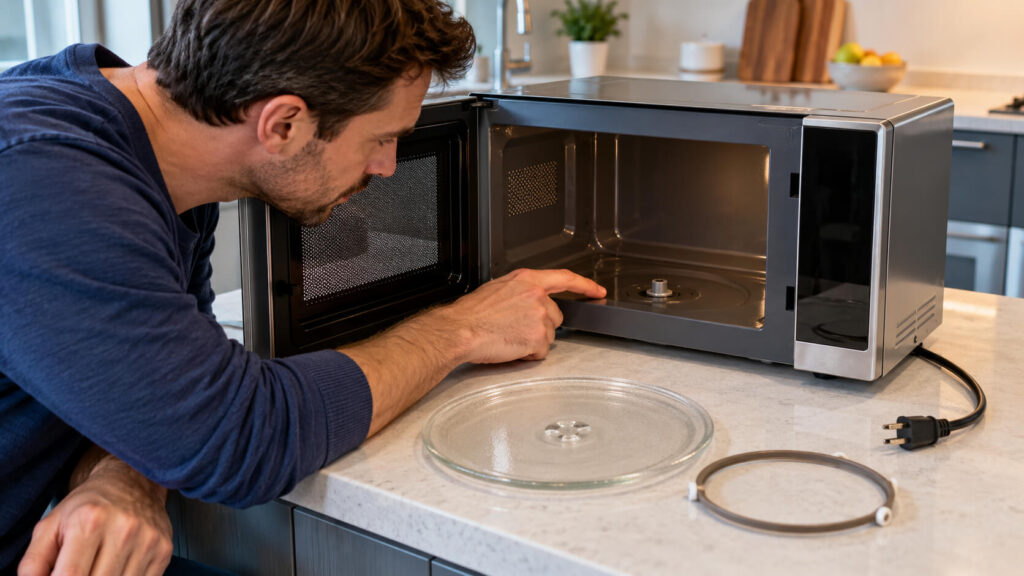
One of the most common reasons a microwave turntable stops spinning is that the glass plate is not properly positioned on its support assembly. Most rotating microwave ovens use a glass tray that rests on a circular roller ring and connects to a central drive coupler. If the plate is not seated correctly, the motor may operate without successfully rotating the tray. This problem often appears after someone removes the glass plate for cleaning and places it back incorrectly. In some cases, the plate may sit slightly off-center, preventing it from engaging securely with the drive mechanism. An upside-down glass turntable can also drag against the microwave floor instead of rotating smoothly. You may notice unusual scraping, thumping, or rattling sounds when the microwave starts running. To check the positioning, unplug the microwave and remove the glass tray after allowing it to cool. Inspect the underside of the plate and make sure its center fits the drive coupler according to the manufacturer’s instructions. Reinstall the tray right side up, ensuring it sits evenly on the roller support without wobbling. If the plate was simply misaligned, correcting its position may restore normal rotation without requiring replacement parts.
2. The Turntable Roller Ring Is Damaged or Misaligned
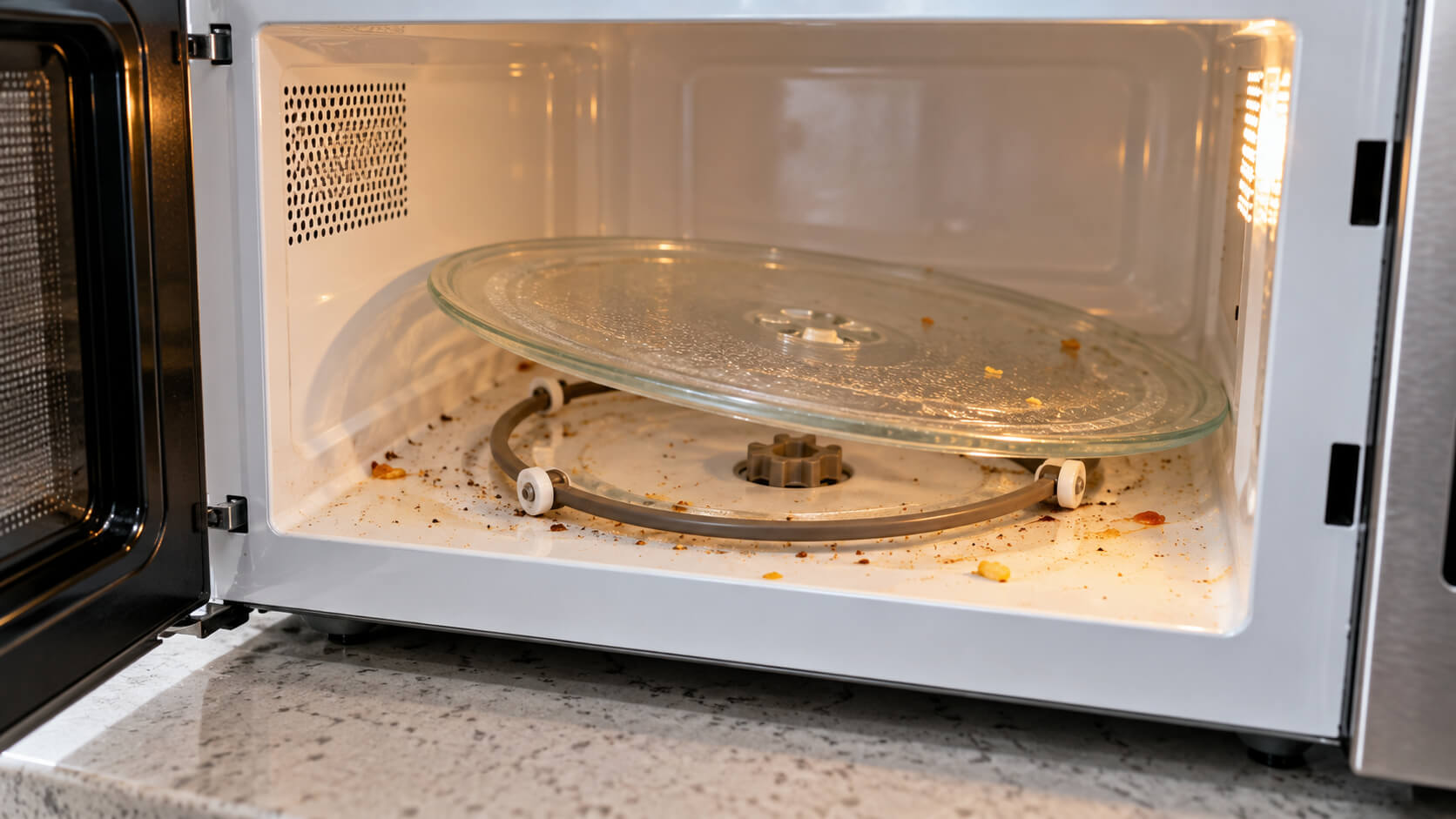
The turntable roller ring is another important component that allows the microwave glass plate to rotate smoothly. This circular support usually contains several small wheels that move along the bottom of the microwave’s cooking chamber. If the roller ring becomes misaligned, the glass tray may tilt, move unevenly, or stop spinning entirely. A missing or damaged roller wheel can create resistance that prevents the turntable from rotating correctly. Over time, the plastic support ring may also become cracked or distorted through normal wear or improper handling. One common symptom is a microwave turntable that rotates briefly before becoming stuck. You may also hear repetitive clicking, grinding, or scraping noises as the wheels struggle to move. Before examining the roller assembly, disconnect the microwave from its power supply and remove the glass tray. Check whether the roller ring is properly positioned and whether its wheels are intact and able to rotate freely. If any wheel is broken or the ring is visibly damaged, replace the component with a compatible part specified for your microwave model. Ensuring that the roller support is correctly installed can restore smooth turntable movement and reduce unnecessary strain on the drive system.
3. Food Debris or Grease Is Blocking the Turntable
Food residue is another frequent cause of a microwave turntable not spinning properly. Small crumbs, dried sauces, and grease deposits can accumulate underneath the glass plate during everyday cooking. These materials often collect along the circular track where the turntable roller wheels move. When the buildup becomes excessive, the wheels may encounter resistance and struggle to rotate. Sticky food residue can also cause the support ring to drag against the bottom of the cooking chamber. As a result, the microwave plate may move slowly, rotate inconsistently, or stop completely. A dirty roller track may also produce grinding or clicking sounds while the microwave operates. Fortunately, this problem can often be resolved through routine microwave cleaning. First, unplug the appliance and remove the glass turntable and roller ring after they have cooled. Wash the removable components with warm, soapy water, following the manufacturer’s cleaning instructions. Wipe the microwave floor and roller track with a soft cloth to remove crumbs and stubborn residue. Once every component is completely dry, reinstall the support ring and glass tray correctly. Regular cleaning helps prevent future turntable problems and supports smoother microwave operation.
4. The Food Container Is Too Large or Heavy
Sometimes the microwave turntable stops rotating because the food container is too large or heavy for the appliance. Microwave ovens are designed to accommodate cookware within specific size and weight limitations. When a plate extends beyond the rotating glass tray, its edges may come into contact with the interior walls. This contact creates resistance that can slow or completely stop the turntable. Oversized rectangular dishes are particularly likely to interfere with rotation in smaller microwave ovens. Similarly, excessively heavy cookware or large quantities of food may place additional strain on the turntable motor. The microwave may begin rotating normally before stopping when the container reaches a particular position. You might also hear scraping or repetitive clicking as the dish touches the cooking chamber. To identify this issue, allow the appliance to cool and remove the oversized container. Check that the glass tray and roller ring are correctly positioned and that no removable components have been damaged. Always select microwave-safe cookware that fits comfortably inside the appliance and follows the manufacturer’s recommendations. Avoid exceeding the microwave’s recommended load capacity, as repeated overloading may contribute to premature mechanical wear. Choosing appropriately sized containers helps maintain smooth rotation and promotes more even food heating.
5. The Turntable Function Has Been Turned Off
Not every microwave turntable that stops spinning has a mechanical problem. Some modern microwave ovens include a turntable on/off function that allows users to temporarily disable rotation. This feature can be useful when heating larger dishes that cannot rotate freely inside the cooking chamber. However, the setting may be activated accidentally during everyday operation. When the turntable function is disabled, the microwave may continue heating food while the glass plate remains stationary. This behavior can make an otherwise functional appliance appear broken. Certain models display a turntable symbol or indicator showing whether rotation is enabled. Other microwaves require users to access a menu or select a specific cooking setting. GE also advises checking that a cooking function has been selected instead of a kitchen timer function, which does not start cooking. Before assuming the turntable motor has failed, review the microwave’s control panel and owner’s manual. If your model supports this feature, reactivate turntable rotation according to the manufacturer’s instructions. Remember that some microwave models do not offer a turntable-off option, so the available settings depend on the appliance. Checking the controls first can save time and help avoid unnecessary microwave repair expenses.
6. The Microwave Turntable Drive Coupler Is Broken
The drive coupler is a small but essential component connecting the turntable motor to the glass tray. Depending on the microwave design, this part may resemble a plastic hub with several raised arms. When the motor operates, the coupler transfers rotational movement to the glass turntable. If the coupler becomes cracked, stripped, or worn, it may no longer engage the glass plate correctly. Consequently, the turntable may remain stationary even though the motor is functioning. A damaged drive coupler can also cause irregular rotation, slipping, or clicking sounds during operation. This problem may develop through ordinary wear or additional stress caused by heavy cookware and turntable obstructions. To inspect the accessible coupler, disconnect the microwave from power and remove the cooled glass plate and roller ring. Examine the visible coupling mechanism for cracks, deformation, or missing sections without forcing it or removing the appliance’s protective panels. A coupler that appears loose or damaged may require replacement with an identical or manufacturer-approved component. Because microwave designs differ, consult the owner’s manual or an authorized repair technician before removing or replacing the part. Replacing a defective coupler can restore turntable rotation when the motor and other components remain in good working condition.
7. The Turntable Motor or Electrical Control System Has Failed
If the glass plate, roller ring, and drive coupler are correctly installed, the problem may involve the microwave turntable motor. This small electric motor is responsible for rotating the glass tray during normal cooking cycles. Over time, internal wear or an electrical failure can prevent the motor from operating properly. A failing motor may cause intermittent rotation, unusual mechanical noises, or a complete loss of turntable movement. In some cases, the microwave continues heating food normally even though the glass plate no longer spins. Less commonly, a defective control board, relay, or electrical connection can interrupt the power supplied to the motor. These problems can produce similar symptoms, making it difficult to identify the exact cause through observation alone. A motor should therefore not be replaced automatically without confirming that the other components are functioning correctly. Diagnosing internal electrical faults may require specialized testing equipment and professional appliance repair experience. Microwave ovens contain high-voltage components that can remain dangerous even after the appliance has been unplugged. Never remove the protective housing or attempt to test internal electrical components without appropriate professional training. A qualified microwave repair technician can inspect the motor and control system, identify the defective component, and determine whether repair or replacement is the most practical option.
How to Troubleshoot a Microwave Turntable That Won’t Spin?
Troubleshooting a microwave turntable that is not working should begin with simple checks that do not involve opening the appliance. Start by confirming that your microwave model is designed to rotate its glass plate during the selected cooking mode. Check the control panel to ensure the turntable-off feature has not been activated. Next, unplug the microwave and allow its interior components to cool before removing the glass tray. Inspect the plate for cracks, chips, or incorrect positioning. Remove the roller support and examine its wheels for damage, dirt, or movement restrictions. Clean the glass tray, roller ring, and microwave floor using the manufacturer’s recommended cleaning methods. Check the visible drive coupler for signs of wear or damage without attempting to access internal electrical components. Once everything is completely dry, reinstall the removable parts according to the owner’s manual. If the appliance has no electrical or mechanical warning signs, follow the manufacturer’s normal operating instructions to check whether the turntable rotates during an appropriate cooking cycle with a microwave-safe load. Never operate the microwave empty or without required turntable components unless the manufacturer explicitly permits that configuration. If the microwave plate still does not spin, stop using the appliance and contact a qualified repair technician rather than attempting potentially hazardous internal repairs.